01
Send SMS to multiple contacts
Upload or connect contact lists and send one campaign to a large customer audience.

Bulk SMS lets a business send text messages to a selected contact list for campaigns, alerts and reminders. Click Connect Media supports campaign setup, sender and template guidance, scheduling, reporting and integration requirements from Mumbai.
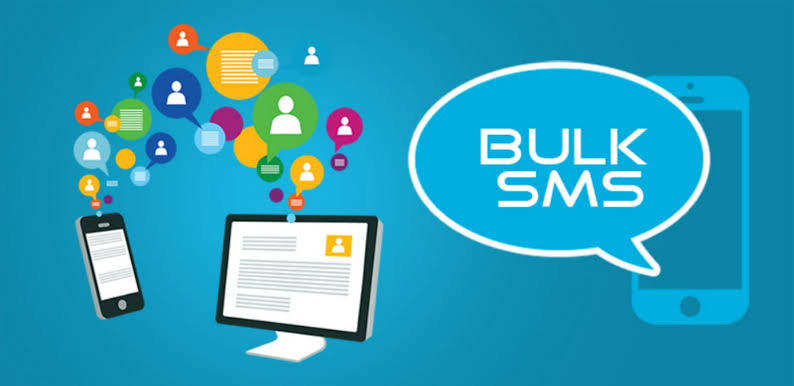
Bulk SMS is a business messaging service used to send text messages to many contacts at the same time. It is useful for promotions, alerts, reminders, updates and other time-sensitive communication where fast reach matters.
The important capabilities are listed once below so you can quickly understand what is available without repeating the same information across multiple sections.
Upload or connect contact lists and send one campaign to a large customer audience.
Plan campaigns for a selected date and time instead of sending every campaign manually.
Review available delivery and campaign statistics after sending.
Use an approved Sender ID according to the selected route and applicable telecom requirements.
Connect SMS sending with websites, CRMs or business applications through API integration.
Get guidance for DLT-related setup and campaign requirements applicable to the selected service.
Use reseller-oriented access where the selected commercial setup includes reseller capability.
These are practical situations where the service can support customer communication, visibility, enquiries or campaign execution.
Discuss your requirementGood delivery starts with the campaign structure, audience and approved messaging setup—not only the send button.
Organize the contact list, campaign purpose and message variation before launch so communication stays relevant.
Keep applicable sender, template and consent requirements aligned before a promotional or transactional campaign goes live.
Plan batches and campaign windows around urgency, audience size and the type of communication being sent.
For recurring or system-led communication, SMS becomes more useful when delivery data and automation are part of the setup.
Use supported API workflows to trigger messages from websites, CRMs or internal business systems.
Monitor available delivery status and campaign statistics to identify failed, pending or completed communication.
Use response patterns, timing and delivery data to refine future audience lists and campaign execution.
Share the expected requirement, audience, volume or campaign objective and our team will help with the suitable next step.
Bulk SMS lets a business send text messages to a selected contact list for campaigns, alerts and reminders. Click Connect Media supports campaign setup, sender and template guidance, scheduling, reporting and integration requirements from Mumbai.
Plan Bulk SMS services for your customer base in Mumbai, Thane, Navi Mumbai or another operating area. We help distinguish promotional campaigns, service updates and application-triggered messages before choosing the route and setup.
Match the message category, sender identity and template requirements to the intended use. Appointment reminders, customer notifications and promotional offers need an appropriate recipient list and setup.
A panel suits scheduled contact-list campaigns. An SMS gateway or API can support approved application-triggered alerts and OTP workflows with the required integration and delivery reporting.
Bulk SMS usually describes sending campaigns to contact lists through a panel. An SMS gateway connects your software to messaging routes so events such as an order update can trigger a message automatically.
Prepare your business details, intended message category, approved sender and templates where required, recipient permissions and expected volume. Our team can explain the onboarding steps for the selected route.
Scheduling and delivery reporting are available within the selected service setup. A delivery report records the route response; it does not prove that a person read the message or will respond.
You can segment an appropriate contact list using the location data you already hold, such as customer addresses or branch records. Sending an SMS does not reveal or verify the recipient's current physical location; keep your audience records accurate.
Share the message category, expected quantity, language, schedule and any API requirements. The selected route, message length and onboarding requirements affect the quote. Confirm usage charges and setup work before sending the campaign.